
Multi factor authentication small business leaders can deploy today is one of the fastest ways to reduce account compromise. If your team uses email, cloud apps, banking portals, CRM tools, or website admin panels, MFA adds a second check beyond passwords so stolen credentials are much harder to use.
For most small businesses, the best approach is to enable MFA first on email, admin, banking, payment, and cloud accounts, start with authenticator apps or hardware keys where possible, set backup recovery methods, and train staff to spot phishing prompts and approval fraud.
MFA should sit inside a wider cybersecurity guide for small businesses, not as a standalone fix. It works best when combined with password hygiene, phishing protection, and clear access policies. For additional public guidance on why MFA matters, CISA explains the basics well at CISA.
Below is a practical step-by-step guide for choosing MFA methods, deciding rollout priorities, and avoiding common mistakes that leave business accounts exposed.
- Identify your highest-risk accounts, especially email, admin, banking, and cloud platforms.
- Choose MFA methods based on risk, usability, and device availability.
- Roll out MFA to admins and high-risk users first.
- Enforce backup codes and recovery procedures before company-wide rollout.
- Train employees to recognize phishing pages, fake login prompts, and MFA fatigue attacks.
- Review coverage regularly so new accounts and legacy logins do not stay unprotected.
What multi-factor authentication means for small businesses
Multi-factor authentication for small businesses means requiring users to prove their identity with two or more factors before they can log in. Usually that means something they know, like a password, plus something they have, like a phone, security key, or device-based prompt.
In practice, mfa for small business environments is less about theory and more about account protection. If a staff password is stolen in a phishing attack or leaked from another service, MFA can stop an attacker from logging in unless they also control the second factor.
This matters especially for smaller companies because a single compromised inbox or admin account can expose invoices, customer data, reset links, internal files, and payment approvals. MFA lowers that risk without requiring enterprise-scale security teams.
Why MFA should be a priority for business account security
Small companies often focus on antivirus or firewalls first, but account compromise is one of the most common paths into business systems. Email and cloud accounts are the control centre for many organisations. Once an attacker controls one key identity, they can often reset passwords elsewhere, impersonate staff, or access shared documents.
If you are building a broader security plan, this small business cybersecurity checklist helps place MFA among other essential controls.
How MFA reduces account takeover risk
MFA reduces account takeover prevention risk by adding a second barrier. A stolen password on its own is no longer enough. This is especially valuable for remote work security, where staff log in from many networks and devices.
For example, if a finance employee unknowingly enters their Microsoft 365 password into a fake login page, an attacker may capture the password. If MFA is enabled with an authenticator app or hardware security key, the attacker still faces another obstacle. That extra step often blocks opportunistic attacks.
Why passwords alone are not enough
Passwords fail for predictable reasons: people reuse them, create weak ones, share them informally, or fall for phishing. Even strong passwords can be stolen through malware, data breaches, or social engineering.
That is why guidance from standards bodies such as the NIST Digital Identity Guidelines places strong emphasis on better authentication methods and assurance levels. Passwords still matter, but they should not be your only line of defence.
The main MFA methods small businesses can use
There is no single best MFA method for every team. The right choice depends on account sensitivity, staff workflows, device availability, and support capacity.
Authenticator apps
Authenticator apps generate time-based codes or approval prompts on a user’s phone. For many small businesses, this is the best balance of security, cost, and ease of use.
Why they work well:
- More resistant than SMS to some common attacks
- Usually free to deploy
- Supported by major business platforms
- Practical for everyday employee login security
How to use them well:
- Require staff to register the app during onboarding
- Document which app your business supports
- Make sure backup codes are saved securely
- Test account recovery before enforcing MFA company-wide
SMS and email codes
SMS verification and email verification code methods are easy to understand and widely available, which makes them attractive for a first rollout. But they are weaker for sensitive accounts.
Why they are limited:
- SMS can be intercepted or redirected in some attacks
- Email-based codes are weak if the email account itself is compromised
- They do little against advanced phishing if users type codes into fake sites
Use them when better options are unavailable, but avoid relying on them for privileged accounts, finance systems, or critical admin access.
Hardware security keys
A hardware security key is a physical device used during login. This is one of the strongest phishing-resistant authentication options available to small businesses.
Best use cases:
- Privileged accounts
- IT administrators
- Executives
- Finance approvers
- Website, hosting, and cloud admin accounts
Why they matter: hardware keys are harder to phish because they are designed to work with legitimate sites and supported login flows. They also reduce approval fatigue compared with repeated mobile prompts.
Passkeys and built-in device authentication
Passkeys use device-based authentication tied to a trusted device, often with biometrics or a PIN. They can improve both security and usability when supported by your software stack.
For some teams, passkeys are a good long-term direction because they reduce dependence on memorised passwords. They can also simplify login for staff who already use secure company-managed devices. Adoption depends on app support, device consistency, and your identity and access management setup.
Which accounts should a small business protect first
When resources are limited, rollout order matters more than perfection. Protect the accounts that would cause the most damage if compromised.
Email and Microsoft 365 or Google Workspace accounts
Email should usually be first. If attackers get into email, they can reset other passwords, read confidential messages, intercept invoices, and impersonate staff.
Many businesses need simple official instructions for Microsoft environments, and Microsoft Support provides a useful overview of two-step verification.
Banking, accounting and payment platforms
These systems should be near the top of your mfa rollout for small business priorities. A compromise here can lead directly to fraud, unauthorised transfers, payroll manipulation, or fake supplier payments.
Use stronger methods for finance roles where possible. If the platform supports an authentication app, hardware key, or conditional access, use that before settling for SMS.
Admin accounts for websites, hosting and cloud tools
Admin account security is critical because these accounts can change permissions, access customer data, deploy code, or lock out legitimate users. Shared hosting dashboards, WordPress admins, cloud infrastructure consoles, and domain registrars all belong in the high-priority category.
If only one type of user gets a hardware security key in phase one, make it admins.
CRM, HR and customer data systems
These systems often hold sensitive customer, employee, or sales information. They may not control your whole environment like email does, but compromise can still create legal, operational, and reputational damage.
Prioritise accounts with broad export rights, reporting access, or permission management features.
How to roll out MFA in a small business step by step
Audit your current accounts and access levels
Start by listing business systems, who uses them, who has admin privileges, and whether MFA is already enabled. Include shadow IT if possible, meaning tools teams adopted without formal IT approval.
Your audit should identify:
- Critical systems
- Privileged accounts
- Shared or generic logins
- Remote access tools
- Unsupported legacy apps
- Existing recovery methods
This step matters because you cannot secure what you have not inventoried.
Choose MFA methods based on risk and usability
How to implement mfa for business successfully depends on matching stronger controls to higher-risk accounts while keeping day-to-day work practical.
| MFA method | Security level | Ease of use | Best fit |
|---|---|---|---|
| Authenticator app | Good | Good | Most employees and general cloud apps |
| SMS code | Basic | Easy | Low-risk fallback where better options are unavailable |
| Email code | Basic | Easy | Limited use, not ideal for sensitive accounts |
| Hardware security key | Very strong | Good after setup | Admins, executives, finance, privileged accounts |
| Passkeys | Strong | Very good | Modern supported platforms and managed devices |
Start with admins and high-risk users
Do not begin with every employee at once if your team is small. Start with the users whose accounts create the most risk: administrators, leadership, finance, HR, and anyone with broad cloud access.
This phased approach helps you find support issues early while protecting the most critical assets first.
Enforce MFA with clear company policies
MFA fails when it is optional for too long. Define a policy that states:
- Which systems require MFA
- Which methods are approved
- Who approves exceptions
- How lost devices are reported
- How new employees enrol
- How former employees are removed
If your software supports it, use single sign-on and identity and access management controls to centralise enforcement rather than relying on each employee to configure settings manually.
Set up backup methods and recovery options
Recovery planning is essential. Without it, one lost phone can become a business outage.
Set up:
- Backup codes stored securely
- At least one secondary verified method where appropriate
- Documented helpdesk or admin recovery procedures
- Spare hardware key for critical roles if policy allows
Do not store backup codes in the same inbox or chat thread as the main account credentials.
Common MFA mistakes small businesses should avoid
Relying only on SMS for sensitive accounts
SMS is better than no MFA, but it should not be your only answer for high-risk systems. If you are protecting banking, admin portals, or executive accounts, use stronger options where possible.
Leaving shared or legacy accounts unprotected
Older systems and shared accounts are often ignored because nobody owns them clearly. That makes them attractive targets. Where possible, replace shared logins with named accounts. If a legacy system cannot support MFA, reduce exposure around it with tighter network access, password controls, and a replacement plan.
Failing to store backup codes securely
Backup codes are part of authentication, not just admin paperwork. If they are stored in plain text on a desktop or in an open spreadsheet, your recovery process becomes a new weakness.
Many teams pair MFA with password managers for business so recovery materials and strong credentials can be stored more safely with access controls.
Not training staff on phishing and MFA fatigue attacks
MFA does not stop users from approving fraudulent prompts or entering codes into fake websites. Staff still need training on suspicious login pages, unexpected approval notifications, and urgent messages asking them to confirm access.
This is why businesses should also protect your business from phishing attacks with technical controls and user awareness.
MFA rollout priorities for teams with limited IT resources
Quick wins for the first 30 days
- Enable MFA on Microsoft 365 or Google Workspace
- Protect all admin and finance accounts
- Disable or reduce shared logins
- Issue and store backup codes securely
- Train staff on the new login process
Medium-priority systems to secure next
- CRM platforms
- HR systems
- Project management tools
- VPN and remote access services
- Marketing and social media admin accounts
These may not seem as critical as email or banking, but they can still expose customer data, brand channels, and internal workflows.
When to move to stronger phishing-resistant methods
Move to hardware security keys or passkeys when accounts have elevated privileges, when users are heavily targeted, when compliance pressure is growing, or when your team has already experienced phishing incidents. This is often the right move for executives, IT admins, and finance approvers.
How MFA fits with other small business cybersecurity controls
Password managers
MFA is not a substitute for unique passwords. It complements them. Password managers help staff create and store stronger credentials without reusing them across services.
Security awareness training
Training explains why employees should never approve unexpected login prompts, share one-time codes, or trust links sent through urgent messages. Even the best mfa for small business environments weakens if users do not understand attacker tactics.
Phishing protection and email security
Email filtering, domain protection, attachment scanning, and phishing awareness all reduce the number of opportunities attackers have to steal passwords in the first place. If you are mapping broader controls, a cybersecurity checklist for SMEs can help prioritise them.
How to choose the right MFA approach for your business
Cost and ease of use
Authenticator apps are often the easiest low-cost starting point. Hardware keys cost more but may be justified for a small group of high-risk users. Choose the strongest method your team can support consistently.
Device availability and staff workflows
Consider whether employees have company-issued phones, use shared workstations, travel frequently, or work in low-connectivity environments. A method that looks secure on paper may fail if staff cannot use it reliably during normal work.
Recovery, support and compliance needs
If your industry has audit or privacy obligations, stronger methods and clearer recovery documentation may be necessary. Businesses with minimal IT support should also favour methods that are easy to enrol, reset, and monitor centrally.
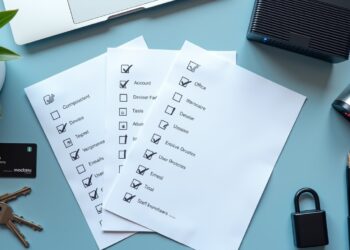
Final checklist for implementing MFA in a small business
- List every business-critical account and platform
- Identify admins, finance users, executives, and other high-risk roles
- Enable MFA on email and cloud productivity accounts first
- Protect banking, payment, accounting, and admin portals next
- Use authenticator apps as a practical default where supported
- Use hardware security keys or passkeys for privileged accounts
- Avoid relying only on SMS for sensitive systems
- Store backup codes securely and document recovery steps
- Train staff on phishing, fake login pages, and MFA fatigue
- Review new tools and legacy accounts so MFA coverage stays current
Multi factor authentication for small businesses is not difficult to start, but it does require prioritisation. If you secure the right accounts first, choose sensible methods, and plan recovery properly, MFA becomes one of the most effective steps you can take to strengthen business account protection.
FAQ
What is multi-factor authentication for small businesses?
It is a login security control that requires employees to verify identity with more than just a password, such as an authenticator app code, hardware key, or device prompt.
Which business accounts should have MFA enabled first?
Start with email, Microsoft 365 or Google Workspace, banking, accounting, payment systems, admin accounts, and any cloud tools with sensitive data or broad permissions.
Is SMS-based MFA good enough for a small business?
It is better than no MFA, but it is not the strongest option. For sensitive or privileged accounts, authenticator apps, hardware keys, or passkeys are better choices.
What is the best MFA method for employees who work remotely?
Authenticator apps are often the best balance of security and usability for remote teams. For higher-risk users, hardware security keys or passkeys are stronger.
How do small businesses roll out MFA without disrupting staff?
Start with high-risk accounts, give clear setup instructions, test recovery procedures first, and phase the rollout instead of enforcing it on every account at once.
What happens if an employee loses their MFA device?
The business should use preconfigured backup codes, a secondary authentication method, or an admin-led recovery process to restore access securely.
Can a password manager and MFA be used together?
Yes. They work well together. A password manager helps create and store strong unique passwords, while MFA adds a second layer of protection.
Does MFA stop phishing attacks completely?
No. MFA greatly reduces risk, but it does not stop every phishing attack. Users can still be tricked into entering codes or approving fraudulent login prompts.