Knowing how to prevent phishing attacks in business comes down to five essentials: stronger email controls, trained staff, verification steps for risky requests, multi-factor authentication, and a simple response process when someone clicks. Small businesses do not need enterprise complexity, but they do need consistent controls that reduce avoidable mistakes.
For a broader foundation, start with this cybersecurity guide for small businesses, then use the steps below to build practical phishing prevention for small business teams.
Core steps to prevent phishing in business:
- Strengthen email security controls such as filtering, SPF, DKIM, and DMARC.
- Train employees to recognize phishing emails and report them quickly.
- Verify unusual requests through a second channel before acting.
- Require MFA and strong password practices across business accounts.
- Create a simple phishing incident response process for fast containment.
Phishing remains one of the easiest ways for attackers to get into a business because it targets people, not just technology. A convincing email can lead to stolen passwords, fraudulent payments, malware infections, or business email compromise. Guidance from CISA and the NIST Cybersecurity Framework supports a layered approach: prevent what you can, detect what gets through, and respond quickly.
How to prevent phishing attacks in business: the core steps
Strengthen email security controls
Email is still the main delivery method for phishing emails, so the first line of defense should be technical. Use a business email platform with spam filtering, phishing detection, attachment scanning, and link analysis. These controls catch a large share of low-quality attacks before employees ever see them.
This matters because staff training alone cannot stop every threat. Even experienced employees can miss a well-crafted message during a busy day. Technical filtering reduces the volume of harmful email and gives people fewer chances to make a costly mistake.
Train staff to spot phishing signs
Employees should know what suspicious messages look like in your real working environment. Training should cover fake login pages, urgent payment requests, unexpected file attachments, password reset prompts, and messages that ask staff to bypass normal process.
The key is relevance. Generic awareness sessions are easy to forget. Short, repeated examples based on common business scenarios are more useful than a single annual presentation.
Verify unusual requests before acting
Many phishing attacks succeed because the email looks routine. An attacker may impersonate a director, supplier, bank, or IT admin and ask someone to change bank details, approve a transfer, reset an account, or share sensitive files.
A simple rule helps: if the request involves money, credentials, customer data, or account changes, verify it through a second channel. That could mean a phone call, a chat message to a known number, or an internal approval workflow. Never rely on the same email thread for verification.
Use MFA and strong password practices
If a password is stolen in a phishing attack, MFA can stop that username and password from being enough on their own. Strong passwords also matter, but password strength without MFA leaves a business exposed if credentials are captured on a fake login page.
Unique passwords for every work account reduce the damage if one service is compromised. Shared passwords and reused credentials make phishing much more expensive to recover from.
Create a simple phishing incident response process
Even well-protected businesses will see suspicious emails and occasional mistakes. Staff should know exactly what to do if they click a link, open an attachment, or submit credentials. Fast reporting allows IT support or an external provider to reset passwords, revoke sessions, isolate devices, and check whether the attack spread.
If you want to turn this advice into a wider routine, use a cybersecurity checklist for SMEs alongside your phishing-specific procedures.
Why small businesses are common phishing targets
Limited security resources and lean teams
Small businesses often operate without a dedicated security team. Email administration, device management, and user support may all sit with one generalist or an outside vendor. Attackers know that smaller organizations may have weaker controls and slower detection.
High reliance on email for payments and approvals
Many small companies use email for supplier communication, invoices, approvals, login resets, and file sharing. That makes email a natural place for fraud. If your team commonly approves payments or shares documents by email, phishing messages can blend into normal work.
Common phishing goals such as credentials, invoices and wire transfers
Attackers usually want one of three things: account access, money, or internal information. That includes Microsoft 365 or Google Workspace credentials, fake invoice payments, payroll changes, customer data, and executive impersonation. Business email compromise often starts with either a spoofed email or a real account that has already been taken over.
Set up email controls that block more phishing attempts
Use spam and phishing filtering
Choose email security settings that scan inbound messages for malicious attachments, suspicious links, known bad senders, and impersonation patterns. If your current email platform supports advanced anti-phishing options, enable them rather than leaving default settings unchanged.
Filtering helps because many attacks are broad and repetitive. Blocking them centrally is more efficient than expecting every employee to catch every threat manually.
Enable SPF, DKIM and DMARC
Email authentication helps receiving mail systems check whether messages that appear to come from your domain are legitimate. SPF defines which servers may send mail for your domain. DKIM adds a cryptographic signature. DMARC tells receiving systems how to handle messages that fail those checks and gives reporting visibility.
This will not stop every phishing email, especially when attackers use lookalike domains, but it greatly improves protection against direct domain spoofing. Google provides practical setup guidance in its anti-spoofing and phishing documentation.
Block risky attachments and suspicious links
Review which file types your business really needs by email. If staff never need executable files, script files, or certain archive types, block them. Use safe browsing or link protection features where available so users get warned before visiting known malicious sites.
The goal is to reduce exposure, not to create unnecessary friction. Start with high-risk file types and expand controls based on your workflow.
Flag external senders and lookalike domains
Adding an external sender banner to inbound email can help employees pause before trusting a message that appears internal. Also watch for lookalike domains that differ by one letter, use extra words, or swap characters that are hard to spot quickly.
For example, an attacker may imitate a supplier using a domain that looks almost right at first glance. Staff should be trained to check the full address, not just the display name.
Train employees to recognize phishing emails
Red flags in sender names, domains and reply addresses
Employees should inspect more than the visible name. A message can say it is from a director or vendor while the real email address tells a different story. Reply addresses also matter because some phishing emails send replies to a different mailbox than the one shown initially.
Urgent language, payment requests and credential prompts
Pressure is a common phishing tactic. Messages may claim an account will be locked, a payment is overdue, or a senior executive needs an urgent transfer. The goal is to push someone to act before thinking carefully.
Train people to slow down when a message involves secrecy, urgency, or an exception to normal process. Legitimate business requests can be urgent, but urgency should increase verification, not replace it.
Attachment and link warning signs
Unexpected attachments, especially invoices, shipping notices, and scanned documents, deserve caution. Links should be checked before clicking. If the visible text says one thing but the actual destination points elsewhere, that is a strong warning sign.
A useful habit is to open known services by typing the official address or using saved bookmarks, not by clicking email links. This is especially important for banking, payroll, and cloud admin portals.
How to report suspicious messages internally
Reporting must be easy. If employees are expected to forward suspicious emails to a shared mailbox, click a report button, or message a central contact, document that process clearly. Staff should know they will not be blamed for reporting a false alarm.
A good reporting culture matters because early reports can reveal broader attacks affecting multiple users.
Build verification steps for sensitive business actions
Verify invoice and bank detail changes through a second channel
Any request to change supplier payment details should be treated as high risk. Confirm the change using a phone number already on file, not one included in the email. This one control can prevent many invoice fraud and wire transfer losses.
Confirm login reset or MFA requests before approving
Password reset and MFA enrollment requests should also be verified, especially for executives, finance users, and admins. A criminal who gains control of a single privileged account can create much wider damage than a standard user compromise.
Use approval workflows for payments and data access
Single-person approvals create avoidable risk. Even a simple two-step workflow for payments, bank changes, and sensitive exports can stop impulsive or manipulated actions. The right level of approval depends on business size, but the principle is the same: no high-risk action should depend on one unchecked email.
Reduce the damage if an account is compromised
Require multi-factor authentication on business accounts
MFA should be mandatory for email, cloud storage, accounting systems, payroll, CRM platforms, VPN access, and admin consoles. Prioritize accounts that can approve payments, access customer data, or reset other users.
MFA is important because phishing often targets passwords directly. If credentials are stolen, a second factor can keep the attacker out or at least make the intrusion more visible.
Use password managers and unique passwords
Password managers make it easier for employees to use long, unique passwords without memorizing each one. That reduces password reuse and helps staff avoid storing credentials insecurely in documents or browser notes.
If you are evaluating options, review these password managers for business or a broader password manager comparison for different use cases.
Limit admin access and apply least privilege
Not every user needs administrative rights. Limit admin access to the smallest possible group and use separate admin accounts where practical. If a standard account is phished, least privilege helps contain the impact.
Keep devices, browsers and email clients updated
Some phishing campaigns lead to malware downloads or exploit attempts through outdated software. Regular updates close known vulnerabilities and improve browser and email security features. This is basic cyber hygiene, but it still matters.
Create a phishing incident response plan for small businesses
What employees should do immediately after clicking
If an employee clicks a phishing link, enters credentials, or opens a suspicious file, they should report it immediately. They should not try to hide it or wait to see whether anything happens. Speed matters more than embarrassment.
Immediate steps may include disconnecting a device from the network if malware is suspected, closing the browser tab, and contacting internal IT or your support provider.
How to isolate affected accounts and devices
For suspected account compromise, disable or lock the account if needed, review recent login activity, and isolate the affected endpoint from the network until it is checked. Isolation prevents a single click from becoming a wider incident.
When to reset passwords and revoke sessions
If credentials may have been entered into a fake site, reset the password at once and revoke active sessions or tokens where your platform allows it. Also review whether mailbox forwarding rules, MFA settings, or delegated access were changed by the attacker.
How to document and report the incident
Record what happened, which account or device was affected, what actions were taken, and whether any customers, suppliers, or regulators may need notification. Even small incidents are worth documenting because patterns often become clear over time.
A wider small business cybersecurity checklist can help formalize these response steps across the rest of your environment.
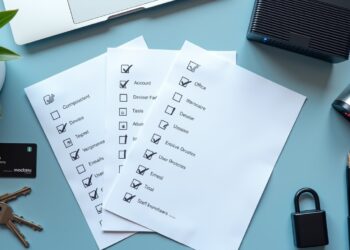
A practical anti-phishing checklist for small businesses
Email security checklist
- Enable spam and phishing filtering.
- Turn on SPF, DKIM, and DMARC.
- Block unnecessary high-risk attachment types.
- Use link protection or safe browsing features.
- Flag external senders.
- Monitor for lookalike domains and spoofing attempts.
Staff awareness checklist
- Train employees on phishing red flags.
- Repeat training regularly, not just once a year.
- Use examples based on real work scenarios.
- Teach staff how to verify suspicious emails.
- Make reporting simple and blame-free.
Verification and approval checklist
- Verify payment and bank changes by phone or another trusted channel.
- Require approval workflows for high-risk transactions.
- Confirm login reset and MFA requests before approving.
- Never rely on the same suspicious email thread for verification.
Incident response checklist
- Tell staff what to do if they click.
- Reset passwords quickly when credentials may be exposed.
- Revoke active sessions on affected accounts.
- Isolate suspicious devices for review.
- Document incidents and lessons learned.
Common mistakes small businesses make with phishing prevention
Relying only on staff awareness training
Training matters, but it should support technical controls, not replace them. People are busy and attackers are persistent. Without filtering, authentication, and MFA, one mistake can still lead to major damage.
Skipping verification for urgent executive requests
Executive impersonation works because people want to be responsive. No matter who appears to be asking, urgent financial or access-related requests need a second-channel check.
Not enforcing MFA across all key accounts
Some businesses enable MFA for email but not for payroll, accounting, or cloud admin tools. Attackers will target the weakest important account, not necessarily the most obvious one.
Having no clear reporting process
If staff are unsure where to send a suspicious email or what happens after reporting, incidents get delayed. A clear process turns employee caution into action.
When a small business should get outside cybersecurity help
Outside help makes sense when your business handles sensitive customer data, processes frequent payments, supports remote staff, lacks in-house IT expertise, or has already experienced attempted fraud. You may also need help if you are unsure how to configure DMARC, tune email filtering, or investigate suspicious account activity.
A good provider should help you put practical controls in place, not sell unnecessary complexity. For most small businesses, the goal is simple: make phishing harder to deliver, easier to spot, and faster to contain.
FAQ
What is the best way for a small business to prevent phishing attacks?
The best approach is layered: use email filtering, enable SPF, DKIM, and DMARC, train staff, verify unusual requests through a second channel, and enforce MFA on all important accounts.
How can employees identify a phishing email at work?
They should check the sender address, reply address, domain spelling, urgency, payment requests, login prompts, suspicious links, and unexpected attachments. If anything looks off, they should report it before acting.
Why is multi-factor authentication important for phishing prevention?
MFA adds a second barrier after the password. If a user enters credentials into a fake site, MFA can stop the attacker from logging in with the stolen password alone.
What should a business do if an employee clicks a phishing link?
Report it immediately, isolate the affected device if needed, reset passwords, revoke active sessions, review account activity, and investigate whether any malware, forwarding rules, or data exposure occurred.
Can email filters stop all phishing emails?
No. Filters reduce risk, but they do not catch everything. That is why businesses also need employee awareness, verification steps, and MFA.
How often should small businesses provide phishing awareness training?
At minimum, provide it during onboarding and refresh it regularly throughout the year. Short, practical reminders are usually more effective than a single annual session.
What is the difference between phishing and business email compromise?
Phishing is a broader tactic that uses deceptive messages to steal information or deliver malware. Business email compromise is a targeted form of fraud, often involving impersonation or hijacked accounts to trick staff into sending money or data.
Phishing prevention is not one tool or one training session. It is a repeatable system of email controls, employee habits, verification rules, and response actions. Small businesses that build these basics well are far less likely to suffer avoidable losses from phishing emails and business email compromise.