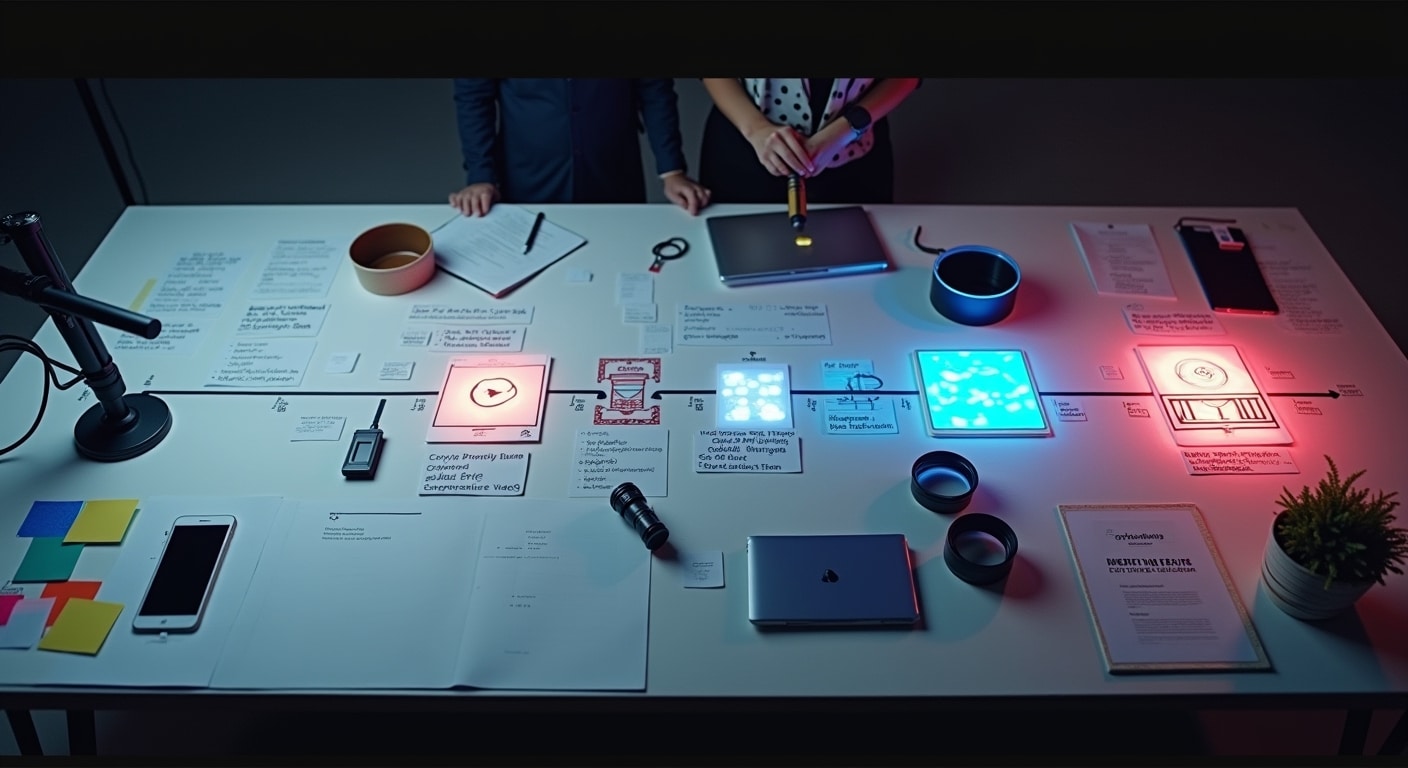

Learning how to create AI marketing videos is easier when you treat AI as part of a clear production workflow, not a one-click replacement for strategy. The best results come from planning the message, preparing assets, generating multiple drafts, editing carefully, reviewing for accuracy, and then publishing each version for the right channel. If you are new to the process, start with a short video, a single offer, and one platform.
Concise answer: To create AI marketing videos, first define the goal, audience, platform, and CTA. Then script the message, prepare brand assets, choose the right AI video tool, generate draft versions, edit for clarity and branding, review claims and licensing, and publish optimized versions for each channel. For a broader overview of platforms and use cases, see this AI video tools guide.
- Define the goal, audience, platform, and CTA.
- Write the script before using any AI video generator.
- Prepare logos, visuals, product footage, voice, music, and captions.
- Choose the right AI tool for your video type.
- Generate several first drafts using scene-level prompts.
- Edit visuals, pacing, captions, voiceover, and branding.
- Review accuracy, compliance, and asset usage rights.
- Export channel-specific versions and track performance.
How to create AI marketing videos step by step
Define the video goal, audience and platform
Before you generate anything, decide what the video must achieve. A product demo video has a different structure from a TikTok teaser, LinkedIn explainer, or remarketing ad.
Start with four questions:
- What action should the viewer take?
- Who is the viewer?
- Where will the video be published?
- What one message should they remember?
This matters because AI tools respond better when the brief is specific. If you ask for “a video about our software,” the result will likely be generic. If you ask for “a 30-second vertical video for startup founders showing how our tool saves reporting time, ending with a free trial CTA,” the output becomes more usable.
If your team is deciding where video fits into a wider workflow, it also helps to identify business tasks to automate with AI so you can prioritise repetitive content production without forcing automation into the wrong parts of marketing.
Choose the video format and call to action
Format affects every later decision, including script length, aspect ratio, visuals, pacing, and voiceover.
Common formats include:
- Short social media clips
- Product demos
- Explainer videos
- Testimonial-style edits using approved footage
- Presenter or avatar videos
- Ad variations for A/B testing
Then define one clear call to action. For example:
- Start a free trial
- Book a demo
- Visit the product page
- Download the guide
- Follow for more tips
A weak CTA is one of the main reasons AI marketing videos underperform. If the viewer does not know what to do next, the video may get views without generating business value.
Plan the script before using any AI video tool
Write a clear marketing message
The best AI marketing video tutorial always starts with scripting, because AI cannot fix an unclear offer. Keep the message focused:
- Problem
- Solution
- Proof or demonstration
- CTA
A simple script example:
“Still spending hours building weekly reports? Our dashboard pulls campaign data into one view so your team can spot results faster. See your paid, organic, and email performance in minutes. Start your free trial today.”
That works because it is direct, benefit-led, and easy to break into scenes.
Break the script into scenes and prompts
When you create marketing videos with AI, scene-level structure improves output quality. Instead of pasting one long paragraph into an AI video generator, separate the script into visual blocks.
For each scene, define:
- On-screen message
- Visual direction
- Voiceover line
- Text overlay
- Transition or pacing note
Example structure:
- Scene 1: Show marketer overwhelmed by tabs and reports. Text: “Too many dashboards?”
- Scene 2: Show product dashboard with cleaner reporting view. Voiceover explains benefit.
- Scene 3: Highlight key feature or demo action.
- Scene 4: CTA screen with logo and URL.
This gives the AI clear instructions and reduces awkward scene jumps.
Keep brand voice and claims consistent
One common problem in AI video creation for marketing is inconsistency. The visuals may feel polished, but the wording sounds unlike your brand, or the claims become exaggerated.
To avoid that, define your brand voice before generation:
- Professional or casual
- Direct or educational
- Minimal or energetic
- Technical or beginner-friendly
Also list approved claims. If your product “helps teams save time,” do not let AI turn that into “guarantees 10x productivity” unless you can prove it. If you need help setting the tone during drafting, this guide on using AI writing tools without losing brand voice is useful for keeping messaging consistent across scripts and captions.
Prepare the assets your AI video workflow needs
Brand visuals and logos
Prepare a simple asset folder before generation. Include:
- Logo files
- Brand colors
- Fonts
- Lower-third templates if used
- CTA end card
This helps you edit AI marketing videos into something recognisable instead of accepting generic templates. Even if the AI tool supports automatic branding, manual review is still important because logos are often placed too small, too late, or against poor backgrounds.
Product screenshots, demos or footage
If you sell software, services, or physical products, your own assets usually perform better than generic AI visuals. Use:
- Product screenshots
- Screen recordings
- Mobile app captures
- Real product footage
- Approved customer interface examples
This improves trust because the viewer sees the actual product rather than abstract stock-style scenes. For product promos and explainers, original assets also make the video more defensible from competitors using similar AI templates.
Music, voice and captions
Plan audio and accessibility early. Decide whether you want:
- AI voiceover
- Human voiceover
- Background music
- Burned-in captions
- Platform-native captions
Captions matter because many viewers watch social video without sound. Good caption generation improves retention, but auto-captions still need review for product names, technical terms, and punctuation.
Choose the right AI tool for your video type
Text-to-video tools
Text-to-video tools are useful when you want AI to generate scenes from prompts, scripts, or storyboards. They are best for concept videos, lightweight social media video creation, visual explainers, and fast ad testing.
They are less reliable for precise product representation. If a feature must be shown exactly, text-to-video may need support from screenshots or manual editing.
Avatar and presenter video tools
Avatar tools work well for training-style content, product walkthroughs, sales intros, and multilingual campaigns where a presenter format helps. They are practical when you need repeatable output and consistent delivery.
However, they can feel impersonal if overused. For warmer campaigns, mix avatar segments with real product footage or human-shot clips.
AI editing tools for short-form content
AI editing tools are often the best starting point for beginners. They help with:
- Auto-cutting clips
- Removing filler pauses
- Caption generation
- Resizing for different aspect ratios
- Highlight extraction for short-form content
If you already have footage, these tools may be more useful than a pure AI video generator because they improve real source material instead of inventing everything from scratch.
Generate the first draft of your AI marketing video
Enter prompts, script and scene instructions
When learning how to use AI for marketing videos, prompt quality matters more than most people expect. Good prompts include the message, audience, visual style, scene purpose, and output format.
Example prompt:
“Create a 30-second vertical marketing video for small business owners. Tone: clear and confident. Goal: promote a bookkeeping app. Scene 1 should show frustration with receipts and spreadsheets. Scene 2 should show the app dashboard. Scene 3 should show mobile expense tracking. Include a clear CTA to start a free trial. Use clean visuals and readable text overlays.”
That gives the system enough structure to generate something close to your intent.
Select style, aspect ratio and pacing
Set technical choices before rendering:
- Aspect ratio: 9:16 for Reels and TikTok, 16:9 for YouTube, 1:1 or 4:5 for some feeds
- Pacing: faster for short social clips, slower for explainers
- Visual style: realistic, product-led, minimal, cinematic, corporate
- Text density: low for quick ads, moderate for educational clips
Pacing is especially important. AI often creates scenes that look fine visually but linger too long or switch too abruptly. A marketing video should feel intentional, not machine-assembled.
Create multiple versions for comparison
Do not stop at one output. Generate at least two or three versions that vary by:
- Hook
- Opening visual
- CTA wording
- Caption style
- Music choice
This is one of the biggest advantages when you generate marketing videos with AI. You can test multiple creative angles quickly, then keep only the strongest parts.
Edit the AI-generated video before publishing
Fix visuals, timing and transitions
Raw AI output usually needs cleanup. Focus your video editing workflow on:
- Removing awkward scenes
- Shortening slow openings
- Fixing inconsistent transitions
- Replacing vague visuals with product-led assets
- Correcting timing between narration and text
A good rule: if a scene does not strengthen the message, cut it. AI often adds decorative footage that looks polished but says nothing.
Improve captions, voiceover and on-screen text
Review all on-screen words manually. Check for:
- Spelling errors
- Wrong product names
- Inconsistent capitalization
- Unreadable text sizes
- Caption timing issues
If using AI voiceover, listen for unnatural emphasis or mispronunciation. Sometimes a slightly slower speed, better punctuation, or shorter sentences fixes the issue. If not, switch to a different voice or use a human recording.
Add branding and a stronger CTA
Before publishing, make sure the video clearly belongs to your brand. Add:
- Logo placement
- Brand color accents
- Consistent typography
- URL or product name
- Final CTA screen
The CTA should be specific. “Learn more” is weaker than “Book your demo” or “Start your free trial.”
Review the video for accuracy, quality and compliance
Check factual claims and product details
Human review of AI output is not optional in marketing. Check every claim, feature mention, and product shot. If the video says a feature exists, it must exist. If the visuals suggest a result, it should be representative.
Review these items:
- Product names and features
- Pricing references, if any
- Performance claims
- Legal disclaimers
- Offer dates and URLs
Review tone, brand safety and audience fit
Ask whether the final cut fits the audience and the brand. A B2B LinkedIn video may need a very different tone from a TikTok promo. Also review visuals for anything misleading, insensitive, or off-brand.
A simple video review checklist includes:
- Is the core message clear in the first few seconds?
- Does the video sound like the brand?
- Is the CTA obvious?
- Would a customer understand the offer?
- Are any scenes distracting or inaccurate?
Confirm licensing and usage rights for assets
Before you publish AI marketing videos, confirm that you have the right to use all music, stock footage, generated visuals, voiceovers, and logos in commercial content. Terms differ by tool and asset source.
This is especially important when combining:
- Third-party stock footage and assets
- AI-generated visuals
- Client-provided materials
- Platform-native audio
If you are unsure, review the license terms inside the tool and the source library before using the video in ads or client campaigns.
Export and publish the video for each channel
Adjust dimensions for TikTok, Reels, YouTube and LinkedIn
One video rarely works well everywhere without adjustment. Export platform-specific versions based on layout, safe zones, and viewing behaviour. Official platform help resources are useful here, including TikTok Business Help Center, Meta Business Help Center, and YouTube Help.
| Platform | Common format | Best use | Key note |
|---|---|---|---|
| TikTok | 9:16 vertical | Short, fast hooks | Keep text large and immediate |
| Instagram Reels | 9:16 vertical | Brand awareness and engagement | Avoid placing key text too close to edges |
| YouTube | 16:9 horizontal | Explainers, demos, long-form | Thumbnails matter more |
| 1:1, 4:5, or 16:9 | B2B thought leadership and product clips | Lead with business value quickly |
Write titles, descriptions and thumbnails
Publishing is not just uploading the file. Give each version supportive metadata:
- Clear title
- Short description
- Relevant hashtags if appropriate
- Custom thumbnail for supported platforms
- CTA link or landing page
Your thumbnail and opening frame should reinforce the same promise. If the title says “Cut reporting time in half,” the opening visual should support that message immediately.
Track performance and iterate on future versions
To improve your AI video workflow for marketers, monitor what happens after publishing. Useful metrics depend on the goal, but often include:
- View-through rate
- Hook retention
- Click-through rate
- Conversion rate
- Completion rate
- Comments or saves
Use those signals to refine the next versions. For example, if viewers drop in the first two seconds, test a stronger opening line. If engagement is fine but clicks are low, improve the CTA.
Common mistakes to avoid when creating AI marketing videos
Relying too much on raw AI output
AI can produce a fast first draft, but unedited output often feels generic or inaccurate. The fastest path is not always publishable. Good marketing still needs judgment.
Using weak prompts or vague scripts
If the brief is vague, the visuals and messaging will be vague too. Strong prompts come from clear positioning, clear audience definition, and scene-by-scene instructions.
Ignoring human review before publishing
This is the biggest risk. AI may introduce visual errors, wrong captions, exaggerated claims, or awkward voice lines. Human review protects brand trust and reduces compliance issues.
Simple AI marketing video workflow for beginners
Fast workflow for social media clips
- Choose one product benefit.
- Write a 15-30 second script.
- Use an AI editing or text-to-video tool to create a first draft.
- Add captions and brand colors.
- Review the hook and CTA.
- Export a 9:16 version.
- Publish and test multiple hooks.
This is the easiest way to make ai marketing videos when speed matters more than deep production value.
Workflow for product promos and explainers
- Define audience, use case, and CTA.
- Write a benefit-led script.
- Break the script into scenes.
- Prepare product screenshots or demo footage.
- Generate draft versions with AI.
- Edit for accuracy, pacing, and branding.
- Review claims and licensing.
- Export different versions for each channel.
This workflow is better when accuracy, trust, and product clarity matter more than volume.
FAQ
What is the easiest way to create AI marketing videos?
The easiest method is to start with a short script, use an AI video or editing tool to create a draft, then manually refine captions, branding, and the CTA before publishing.
Do I need video editing skills to make marketing videos with AI?
No, not advanced skills. Many tools simplify editing, but you still need basic judgment to fix timing, captions, scene order, and branding.
Which AI tools are best for script-to-video workflows?
The best choice depends on the video type. Text-to-video tools suit concept and social clips, avatar tools suit presenter-led content, and AI editors suit repurposing existing footage.
Can AI create marketing videos for social media platforms like TikTok and Instagram?
Yes. AI can generate or edit videos for TikTok and Instagram, but you should tailor aspect ratio, pacing, captions, and hooks for each platform.
How do I keep AI-generated marketing videos aligned with my brand voice?
Use a defined tone guide, approved claims, brand visuals, and a human review step. Do not rely on the AI to infer your voice correctly every time.
Should I review AI marketing videos before publishing them?
Yes. Always review for factual accuracy, brand safety, caption quality, product details, and licensing before publishing.
Can I use AI-generated voiceovers and stock assets in commercial marketing videos?
Often yes, but only if the license terms allow commercial use. Check the rights for each tool, music track, stock asset, and generated element before publishing.
Conclusion
If you want to know how to create AI marketing videos effectively, the answer is not just choosing a tool. It is building a repeatable workflow: define the goal, script the message, prepare assets, generate draft versions, edit carefully, review everything, and publish platform-specific cuts. AI speeds up production, but the strongest marketing videos still come from clear strategy and human judgment.