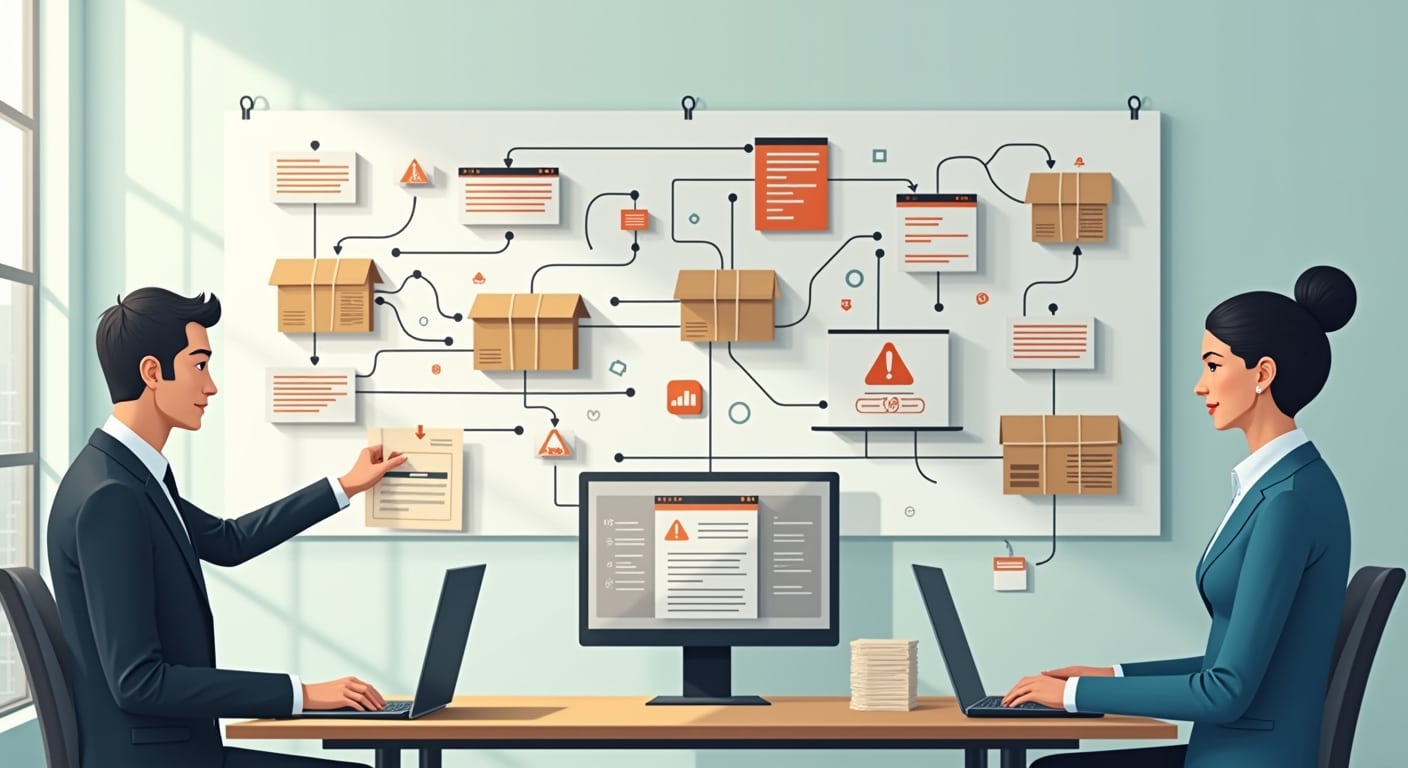

Small businesses usually run into AI automation mistakes when they automate messy processes, trust outputs without review, or connect tools to sensitive data without proper controls. The safest approach is to start with simple, repeatable workflows, keep human oversight in place, and monitor results before expanding automation.
Common AI automation mistakes include:
- Automating the wrong process first
- Skipping workflow mapping and exception handling
- Removing human review too early
- Ignoring data privacy and security risks
- Using AI outputs without verification
- Choosing tools with poor integrations
- Failing to assign ownership and oversight
- Not training staff on new workflows
- Measuring success only by time saved
- Over-automating tasks that need judgment
If you need a broader foundation before choosing tools or workflows, this AI automation guide for businesses explains the basics. For teams that want to structure workflows properly, AI workflow automation for SMEs is a useful next step.
Small business automation fails less often when leaders treat it as a process design project, not just a software purchase. That means deciding what to automate, what to protect, where humans stay involved, and how to respond when the automation is wrong.
What are the most common AI automation mistakes for small businesses?
The most common ai automation mistakes are poor process selection, weak process documentation, limited human oversight, unmanaged data privacy risks, tool mismatch, and unrealistic success metrics. In small businesses, these problems often happen because teams want quick wins and assume automation will fix broken workflows on its own.
In practice, common ai automation mistakes usually fall into four areas:
- Process mistakes: automating inconsistent or exception-heavy work
- Control mistakes: removing review steps too early
- Data mistakes: exposing customer or internal data to unnecessary risk
- Management mistakes: lacking ownership, monitoring, and staff training
These issues are especially important in ai automation mistakes small business settings because smaller teams have less time to monitor failures and fewer backups when an automation breaks.
Automating the wrong process first
One of the biggest ai workflow automation mistakes is choosing a process because it looks repetitive, not because it is stable, documented, and low risk. Repetition helps, but it is not enough. A task can happen every day and still be a poor candidate for automation if the inputs vary, exceptions are frequent, or the outcome affects customers directly.
Why repetitive does not always mean suitable for AI automation
Many repetitive tasks depend on context. For example, replying to customer enquiries may seem repetitive, but the right response can depend on account history, urgency, tone, refunds, or compliance requirements. If you automate that too early, errors spread quickly.
Good early candidates usually have:
- clear inputs and outputs
- few exceptions
- low compliance risk
- easy quality control
- limited impact if something goes wrong
Bad early candidates usually involve negotiation, legal commitments, financial approval, or customer complaints that need nuance.
How to identify low-risk, high-value workflows
Start by ranking workflows against three questions:
- Is the process already consistent when handled manually?
- Can errors be detected quickly before they affect customers or finance?
- Will automation save effort without removing necessary judgment?
Examples of lower-risk workflows include meeting summarisation, internal task routing, lead tagging, first-draft content formatting, or pulling data into standard reports. Tasks like pricing exceptions, complaint resolution, hiring decisions, and contract interpretation should usually keep stronger human-in-the-loop controls.
Skipping process mapping before automation
Another common ai implementation mistakes pattern is automating a process nobody has fully documented. If your team cannot explain how a workflow starts, what exceptions happen, and who approves the final result, the automation will likely fail in production.
Hidden bottlenecks and exceptions that break automations
Workflow mapping reveals details that tools do not fix on their own. These often include:
- missing data fields
- manual approvals that happen informally in chat
- files stored in different systems
- exceptions handled by one experienced staff member
- steps that depend on customer response time
Without exception handling, automations can stall, duplicate work, or push incorrect actions downstream.
Why broken manual workflows become broken automated workflows
Automation increases speed, not process quality. If the manual process already has unclear ownership, duplicate entry, or inconsistent rules, automation will scale the inconsistency. This is why workflow mapping should happen before tool setup.
A simple map should show:
- trigger
- input source
- decision points
- exception paths
- approver
- final output
For broader governance thinking, the NIST AI Risk Management Framework is a strong reference for identifying operational and oversight risks.
Over-automating tasks that still need human judgment
Over-automation in small business usually starts with a good intention: save time. The problem is that not every decision should be handed to an AI system. Some processes need context, ethics, empathy, or accountability that automation cannot provide reliably.
Where human review matters most
Human oversight matters most when a process affects:
- customer trust
- financial commitments
- legal or compliance exposure
- employee outcomes
- brand reputation
In these situations, AI can assist with summarising, drafting, classifying, or recommending. It should not always act alone.
Examples of decisions AI should not handle alone
Examples include approving refunds above a threshold, changing contract terms, issuing disciplinary actions, selecting final candidates for a role, or replying to complex complaints without review.
If your team is exploring more autonomous systems, understanding how AI agents work in business helps clarify where autonomy can support efficiency and where oversight must remain strict.
Ignoring data privacy and security risks
AI data privacy risks are often underestimated by small businesses. Teams connect tools quickly, paste customer information into prompts, or allow broad access to internal systems without checking how data is stored, retained, or used.
Sensitive customer and business data to protect
Before deploying any automation, identify sensitive information such as:
- customer names, addresses, and contact details
- payment information
- contracts and invoices
- employee records
- pricing and margin data
- internal financial reports
- confidential product or sales plans
Even if a tool seems convenient, it may not be appropriate for regulated or confidential workflows.
Questions to ask before connecting AI tools to internal systems
Ask these questions before approval:
- What data will the tool access?
- Is access limited to only what is necessary?
- How is data stored and retained?
- Can prompts or outputs be used for model training?
- What happens if the integration fails or leaks data?
- Who can view logs and outputs?
- Does the vendor support required security controls?
The OWASP Top 10 for Large Language Model Applications is useful for understanding risks such as prompt injection, insecure output handling, and data leakage. For privacy and compliance considerations, the UK ICO guidance on AI and data protection is a practical reference.
Using AI outputs without verification
One of the fastest ways to create expensive mistakes is to treat AI output as automatically correct. Hallucinations, incomplete reasoning, outdated information, and formatting errors can all make an output look polished while still being wrong.
Accuracy risks in content, customer support and internal operations
Verification matters across multiple use cases:
- Content: incorrect claims, missing context, off-brand tone
- Customer support: wrong policies, inaccurate troubleshooting, overconfident answers
- Internal operations: bad spreadsheet logic, flawed summaries, missed exceptions
This is one of the most common automation risks for small businesses because small teams often assume a good-looking answer is a reliable one.
Simple review checkpoints for small teams
You do not need a large governance department to reduce risk. Create review checkpoints such as:
- spot-checking a sample of outputs daily or weekly
- requiring approval for external-facing messages
- using checklists for factual accuracy and tone
- separating draft generation from final approval
- logging recurring mistakes for prompt or workflow updates
For lower-risk starting points, many companies begin with AI productivity tools for small business teams before automating customer-facing or operationally critical workflows.
Choosing tools without checking integrations and limitations
Another frequent cause of ai automation pitfalls is selecting software based on demos and feature lists instead of real workflow fit. A tool can be powerful and still be wrong for your stack, team size, or security needs.
Common integration gaps in SME workflows
Common problems include:
- the tool does not connect to your CRM, accounting system, or help desk
- integration only works one way
- approval steps cannot be included
- file formats break data extraction
- rate limits or quotas disrupt volume
- permissions are too broad or too limited
These issues often appear after purchase, which is why testing with real workflows matters more than feature comparison pages.
Why feature lists do not guarantee a good fit
Features describe possibility, not reliability. What matters is whether the tool supports your actual inputs, exceptions, staff habits, and reporting needs. A simpler system that integrates well is often better than a more advanced platform that forces workarounds.
When you are ready to compare options, review AI automation tools for SMEs with your mapped workflows in hand, not just a wish list.
Failing to set rules, ownership and oversight
Automation governance sounds formal, but for small businesses it can be simple. Every important automation should have an owner, clear rules, and an escalation path when outputs are wrong or the workflow fails.
Who should monitor automations
The right owner depends on the process. It may be an operations manager, department lead, or technically capable team member. What matters is that someone is clearly responsible for:
- monitoring performance
- reviewing errors
- updating prompts or rules
- managing access
- stopping the automation if risk increases
Shared ownership often turns into no ownership.
What to track when an automation goes wrong
Track enough detail to diagnose problems quickly:
- what triggered the automation
- which system or data source failed
- what output was produced
- whether a human approved it
- customer or operational impact
- how often the issue repeats
This creates a feedback loop for automation monitoring and continuous improvement.
Not preparing staff for workflow changes
Small business automation mistakes are not only technical. Change management is often the hidden issue. Teams may ignore tools, work around them, or misuse them if nobody explains how responsibilities are changing.
Training needs for AI-assisted processes
Staff training should cover:
- what the automation does and does not do
- when human review is required
- how to check outputs
- how to handle exceptions
- what data should never be shared with the tool
- who to contact when something looks wrong
Even lightweight training improves consistency and reduces avoidable errors.
How resistance and confusion create automation failure
People resist automation when it feels unreliable or threatening. Confusion leads to duplicate manual work, skipped review steps, and conflicting process versions. The fix is practical communication: explain why the workflow is changing, what success looks like, and where human judgment still matters.
Measuring success the wrong way
Time saved matters, but it is not the only metric. If an automation saves three hours a week while increasing customer complaints, rework, or compliance risk, it is not a success.
Useful metrics beyond time saved
Better metrics include:
- error rate
- rework required
- response time
- customer satisfaction impact
- cost per completed task
- staff adoption rate
- escalation volume
- exception frequency
These metrics show whether the workflow is actually improving the business.
How to balance speed, accuracy and customer impact
Think in trade-offs. Fast response is useful only if it stays accurate enough and does not damage trust. For customer-facing workflows, it is often better to automate triage and drafting while keeping final approval or exception handling with a person.
A practical checklist to avoid AI automation mistakes
Use this checklist before and after deployment to reduce how to avoid ai automation failures in day-to-day operations.
Before launch
- Choose one stable, low-risk workflow
- Map the current process and exceptions
- Define success metrics beyond time saved
- Identify sensitive data and access controls
- Test integrations using real examples
- Set review checkpoints and approval rules
- Assign a clear owner
- Train staff on expected use and limits
During rollout
- Start with limited scope or volume
- Keep human-in-the-loop for high-impact outputs
- Track errors, exceptions, and user feedback
- Review output quality frequently
- Pause and adjust if failure patterns appear
Ongoing review every 6 months
- Recheck tool permissions and data access
- Review whether prompts, rules, or models have changed
- Audit logs and recurring errors
- Confirm the workflow still matches current operations
- Update staff training and documentation
- Retire automations that no longer deliver clear value
When small businesses should slow down or avoid automation
Sometimes the best decision is to wait. Small businesses should slow down when the process is undocumented, the error cost is high, the data is highly sensitive, or the workflow depends heavily on judgment and exceptions.
You should also pause if:
- nobody can own the system
- staff do not trust the outputs
- the business lacks a simple review process
- the integration requires broad access to critical systems
- current manual performance is too inconsistent to automate safely
In those cases, improve the process first. Then automate selected parts instead of the whole workflow.
Best practices
- Start narrow with one low-risk use case
- Keep humans involved where errors are costly
- Protect sensitive data by default
- Choose tools based on workflow fit, not hype
- Document rules, owners, and exception paths
- Measure quality and customer impact, not just speed
- Review automations at least every 6 months
Common mistakes
- Automating a broken process
- Assuming repetitive work is always safe to automate
- Trusting AI-generated outputs without checks
- Giving tools access to more data than necessary
- Ignoring integration limits until after launch
- Removing staff oversight too early
- Skipping training and change management
- Calling the project a success because it feels faster
FAQ
What are the most common AI automation mistakes small businesses make?
The most common mistakes are automating the wrong workflow, skipping process mapping, removing human oversight too early, ignoring data privacy and security, and using AI outputs without verification.
How do I know if a business process is suitable for AI automation?
A good process is stable, repeatable, low risk, and easy to verify. If it has many exceptions, unclear rules, or major customer or compliance impact, it needs stronger human review or may not be suitable yet.
Can AI automation create data privacy or security risks?
Yes. Risks include exposing customer data, insecure integrations, overbroad permissions, prompt leakage, and poor retention controls. Review what data the tool accesses and how it is stored, shared, and protected.
Why is human oversight still important in AI automation?
Human oversight catches errors, manages exceptions, and protects decisions that need judgment. It is especially important for customer-facing, financial, legal, and employee-related workflows.
What happens when a small business over-automates workflows?
Over-automation can increase mistakes, reduce accountability, frustrate customers, and create extra rework. Businesses often move too much decision-making into automation before the process is stable enough.
How can small teams verify AI-generated outputs before using them?
Use simple controls such as sample checks, approval steps for external content, factual review checklists, and logs of recurring errors. Separate draft generation from final sign-off.
What should a small business review before connecting AI tools to customer data?
Review data access scope, vendor security controls, retention policies, model training terms, user permissions, integration risks, and compliance requirements. Only connect the minimum data needed for the workflow.
AI automation can help small businesses move faster, but speed only matters when the workflow stays accurate, secure, and manageable. The safest path is to automate mature processes first, keep clear ownership, and use regular reviews to catch issues before they become expensive.