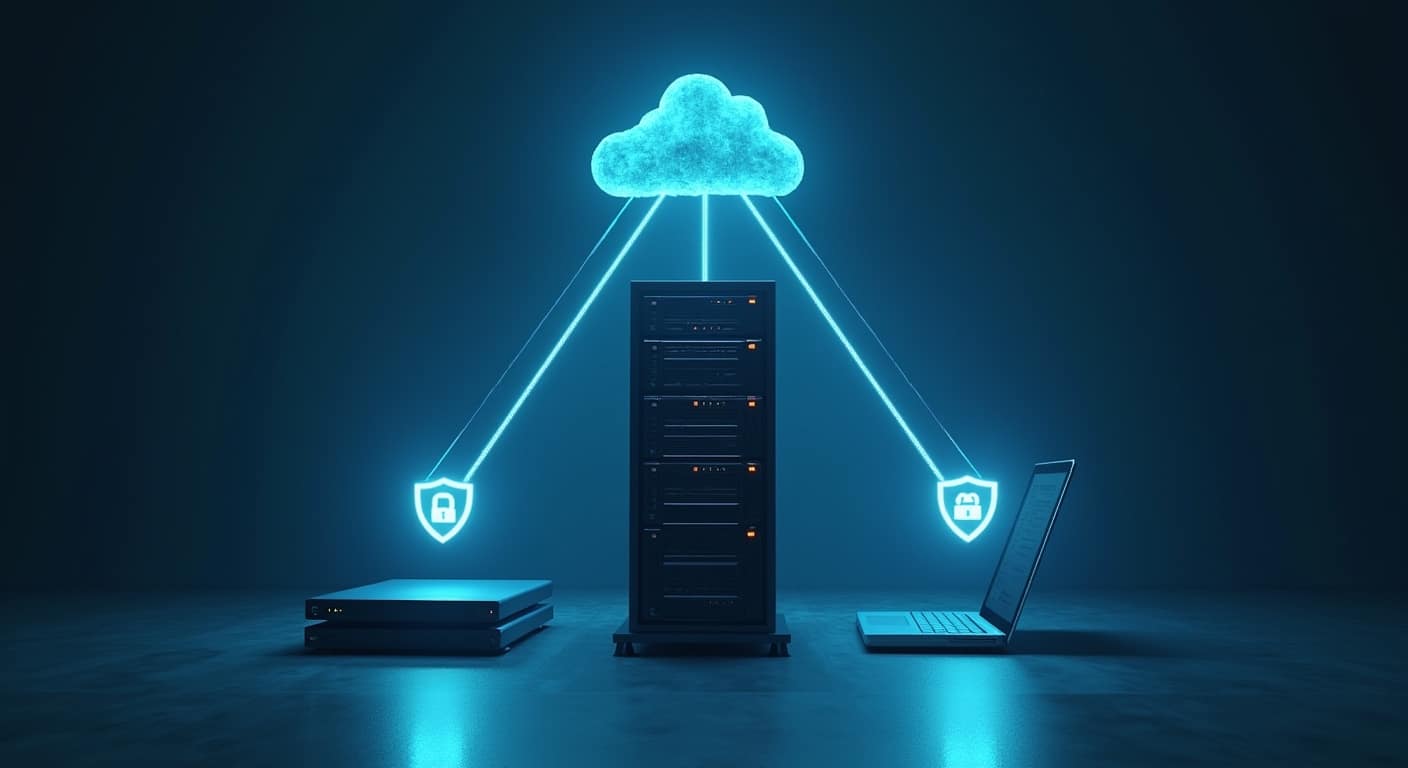

The 3-2-1 backup strategy means keeping three copies of your business data, using two different types of storage, with one copy stored offsite. For small businesses, it is one of the simplest ways to reduce the risk of data loss from hardware failure, accidental deletion, theft, fire, or ransomware. If you are building a reliable data backup guide for small businesses, this model is usually the right place to start.
The 3-2-1 backup strategy is a backup rule that keeps one working copy, at least one separate local backup, and one offsite backup on different storage types so your business can recover data after loss, damage, cyberattack, or system failure.
For many SMEs, the strength of this model is not complexity but redundancy. If one copy fails, another is available. If one location is affected, another is still intact. If one backup method turns out to be incomplete, a second method can still protect the business.
Backups also work best when they sit inside a wider risk plan. A practical small business cybersecurity checklist should cover backup, access control, phishing prevention, and recovery preparation together rather than as separate tasks.
What Is the 3-2-1 Backup Strategy?
At a basic level, the 3-2-1 backup rule says:
- Keep 3 copies of your data
- Store them on 2 different media types
- Keep 1 copy offsite
This structure improves data redundancy without forcing a small business into enterprise-level tools or budgets.
What 3 copies, 2 media types, and 1 offsite copy actually mean
The first copy is your live production data. That could be files on staff laptops, data on a server, documents in a line-of-business application, or exports from a cloud platform.
The second copy is a backup stored locally. For example, this might be a backup to a network attached storage device, a local backup server, or an encrypted external hard drive backup.
The third copy is another backup stored offsite. In practice, that often means cloud backup, a second office, or a managed datacentre location.
The “2 media types” part matters because a single storage method can fail in a single way. If every copy sits on similar devices in the same office, one electrical fault, theft event, or ransomware incident can affect all of them. Using different media reduces shared risk.
The “1 offsite” part matters because local events are common. Flooding, fire, break-ins, accidental damage, and power issues do not care whether you have two or even three copies if they are all in the same room.
Why the 3-2-1 backup strategy matters for small businesses
Small businesses often assume backup is mainly about hardware failure. That is only part of the picture. The same backup plan also supports ransomware recovery, recovery from staff mistakes, and business continuity when systems go down unexpectedly.
Unlike large enterprises, SMEs usually have small IT teams, fewer spare devices, and less tolerance for downtime. A missing folder, damaged accounting file, or inaccessible customer database can stop work immediately. The 3-2-1 model reduces that dependency on a single device or platform.
It also creates a clearer recovery path. When a business knows where the local copy is, where the offsite copy is, and how recent each copy should be, restore decisions are faster and less stressful.
How the 3-2-1 Backup Strategy Works in Practice
The model is flexible. It does not require one exact product combination. What matters is meeting the rule in a way that fits your systems, budget, and recovery needs.
Example setup for a small office with local devices and cloud backup
Example: a 10-person office stores shared files on a central NAS.
- Copy 1: live files on the NAS
- Copy 2: automatic local backup from the NAS to an encrypted USB drive or backup appliance
- Copy 3: cloud backup from the NAS to an offsite backup provider
This setup is practical because local recovery is usually fast, while cloud backup covers office-wide incidents. If a user deletes a folder, the business may restore from the local backup in minutes. If the office suffers a major incident, the cloud copy becomes the recovery source.
Example setup for a hybrid or remote SME team
Example: a services firm has staff working from laptops, using Microsoft 365 or Google Workspace, plus a few local documents stored on devices.
- Copy 1: live files in cloud apps and on laptops
- Copy 2: endpoint backup from laptops to a central backup system or local office NAS
- Copy 3: cloud backup for endpoints and SaaS data stored in a separate backup platform
This matters because cloud apps are not always full backup systems. Sync and recycle bin features help, but they may not provide enough retention, versioning, or recovery control for business needs.
What counts as different media and offsite storage
Different media can include:
- Internal server storage
- External hard drives
- Network attached storage
- Dedicated backup appliances
- Cloud backup storage
Offsite storage can include:
- Cloud backup in a separate environment
- Encrypted backup drives rotated to another secure location
- A second office with independent backup storage
- A managed datacentre or colocation site
What does not usually qualify as offsite is another drive plugged into the same machine or another storage device sitting beside the original server.
Why SMEs Use the 3-2-1 Backup Model
Protection against hardware failure
Drives fail. Laptops are lost. Servers develop faults. Even high-quality storage can fail without much warning. A backup rule that assumes failure is more realistic than one that assumes devices will stay healthy.
Local backup is especially useful here because restores are normally quicker than downloading large datasets from the cloud.
Protection against ransomware and accidental deletion
Ransomware can encrypt live data and, in some cases, reachable backups as well. That is why separation matters. Guidance from the CISA Ransomware Guide highlights the importance of resilient backups as part of incident readiness.
Accidental deletion is even more common than malware. A staff member overwrites a shared spreadsheet, removes the wrong folder, or empties a synced location. Good backup retention and version history make recovery possible without major disruption.
Backups are only one part of prevention. To reduce the chance of account compromise that can lead to data loss, it also helps to protect a small business from phishing attacks and limit how easily attackers can access systems.
Better business continuity and recovery readiness
A backup is not just a copy. It is part of disaster recovery. Businesses should know how much data they can afford to lose and how quickly they need systems back. That is where concepts like recovery point objective and restore time become practical, not theoretical.
The more critical the system, the more frequent and automated the backup process usually needs to be.
How to Implement a 3-2-1 Backup Strategy for Your Business
Identify critical business data and systems
Start with what would actually hurt the business if lost. That often includes accounting records, customer files, contracts, HR records, email, project files, POS data, and shared team documents.
If you skip this step, you may back up too little or waste time protecting low-value data while missing critical business data.
Choose your primary data location
Decide where the live data sits today. It may be on user laptops, a file server, a NAS, business software, or cloud platforms. This matters because backup tools depend on the source system.
For example, backing up laptops requires endpoint backup. Protecting shared office files may require NAS or server backup. Protecting cloud app data may require SaaS backup rather than simple sync.
Create a local backup copy
Your local backup should be separate from the production copy and recoverable without depending on internet access. Common SME options include:
- Backup to a NAS
- Backup to a dedicated backup appliance
- Backup to encrypted external drives rotated regularly
Local backup helps with quick restores and lower downtime. It is often the fastest way to recover from file corruption, accidental deletion, or a failed workstation.
Create an offsite or cloud backup copy
Your offsite backup should be isolated enough to survive a local incident. Cloud backup is the most common SME option because it scales easily and removes the need to transport media manually.
When evaluating cloud backup, check:
- What data sources it supports
- Whether backups are versioned
- How long retention lasts
- Whether restores are simple and complete
- Whether data is encrypted in transit and at rest
For broader resilience guidance, resources from the National Cyber Security Centre and the NIST Computer Security Resource Center are useful reference points.
Automate backup schedules and retention
Manual backup is often inconsistent. People forget. Devices are disconnected. Tasks are skipped during busy periods.
Automation improves reliability. Set backup schedules based on how often data changes and how much recent data loss the business can tolerate. A business updating financial or customer records all day may need more frequent backups than one archiving files weekly.
Retention matters too. If ransomware or silent corruption goes unnoticed for days, yesterday’s backup may already be affected. Multiple restore points improve your chances of clean recovery.
Test restores regularly
A backup that has never been restored is unproven. Test restores confirm that files are usable, permissions are intact, and staff know the process.
At minimum, test a sample restore regularly and run a larger recovery exercise periodically. Also protect the systems that control backup access. Using multi-factor authentication for small businesses is especially important for cloud backup accounts and admin consoles.
Sample 3-2-1 Backup Setups for Different SME Scenarios
Micro business with laptops and cloud apps
Example:
- Copy 1: live data in laptops and cloud productivity apps
- Copy 2: laptop backup to encrypted external drive or office NAS
- Copy 3: cloud backup for endpoints and SaaS data
This suits small teams that do not run servers but still need proper retention and recovery.
Retail or office-based SME with shared files
Example:
- Copy 1: live point-of-sale exports and shared office files on local server
- Copy 2: on-site backup to NAS or backup appliance
- Copy 3: cloud backup of server and shared file system
This works well where fast local restore is important for daily operations.
Company using servers or NAS storage
Example:
- Copy 1: production data on server or NAS
- Copy 2: local backup to separate storage appliance
- Copy 3: replicated encrypted backup to cloud or secondary site
This setup is common when businesses need stronger control over shared data, larger volumes, or more formal disaster recovery planning.
Common Mistakes Small Businesses Make with 3-2-1 Backups
Keeping all copies in one location
This is the most obvious failure point. Multiple copies in a single office do not solve location risk. One serious event can still wipe out every copy.
Using backups that are never tested
Backup logs do not guarantee clean recovery. Failed jobs, incomplete datasets, and permission issues are sometimes only discovered during a restore.
Relying on sync alone instead of real backup
File sync is useful for collaboration, but it is not the same as backup. Sync can copy deletions, corruption, and ransomware-encrypted files across devices. Backup should provide recovery points and retention beyond basic sync behavior.
Ignoring access control and encryption
If backup systems are poorly secured, attackers may target them first. Limit admin rights, use strong passwords, enable MFA, and encrypt sensitive backup data in transit and at rest.
Backups should sit inside a broader cybersecurity guide for small businesses rather than being treated as a standalone IT task.
3-2-1 Backup Strategy vs Cloud-Only Backup
Where cloud-only setups help
Cloud-only models can be simple, scalable, and easier to manage for small teams without office infrastructure. They are attractive when staff work remotely and there is little in-house IT support.
Where cloud-only setups fall short
Cloud-only is not always enough. Recovery may be slower for large data volumes. Internet outages can block access. Some cloud platforms offer limited retention or do not count as an independent backup if they only sync live data.
| Approach | Strengths | Limitations |
|---|---|---|
| 3-2-1 backup model | Strong redundancy, supports local and offsite recovery, better resilience against multiple failure types | Requires planning, monitoring, and more than one backup target |
| Cloud-only setup | Simple deployment, useful for remote teams, less hardware to manage | May have slower restores, weaker separation, and dependence on connectivity or platform limitations |
How to Know if Your Current Backup Setup Meets the 3-2-1 Rule
Simple checklist for SMEs
- Do you have three total copies of important business data?
- Are at least two copies stored on different media types?
- Is at least one copy kept offsite?
- Are backups automated?
- Can you restore previous versions, not just the latest file?
- Have you tested restores recently?
- Are backup accounts protected with strong access controls and MFA?
Signs your backup plan needs improvement
Your plan likely needs work if:
- All backups are inside one office
- Only one person knows how backup works
- You rely on USB copying without verification
- You use sync folders as your only safety net
- You cannot say how old your latest usable backup is
- You have never performed a full restore test
Final Takeaway for Small Businesses
The 3-2-1 backup strategy remains one of the most practical ways for SMEs to reduce data loss risk without unnecessary complexity. Keep three copies, use two storage types, and maintain one offsite copy. Then make the plan real with automation, retention, security controls, and restore testing.
For a small business, a backup is only valuable when it can be restored quickly enough to keep the business running. That is why the best 3-2-1 setup is not the most advanced one. It is the one your team can maintain, verify, and use under pressure.
FAQ
What is the 3-2-1 backup strategy?
The 3-2-1 backup strategy is a backup rule where you keep three copies of data, use two different storage types, and store one copy offsite to improve resilience and recovery.
How does the 3-2-1 backup rule help small businesses?
It reduces the chance that one failure, cyberattack, or location-based incident will destroy every copy of important business data.
Does cloud storage count as a backup in a 3-2-1 strategy?
It can, but only if it functions as a real backup with retention and recovery options. Basic file sync alone is not enough in many business cases.
What are the best examples of a 3-2-1 backup setup for SMEs?
Common examples include live data on a server or laptop, a local backup to NAS or external drive, and an offsite cloud backup stored in a separate environment.
How often should a small business test its backups?
Test sample restores regularly and conduct broader recovery testing periodically. The exact frequency depends on how critical the systems are and how much downtime the business can tolerate.
What is the difference between file sync and backup?
Sync keeps files consistent across locations, while backup preserves recoverable copies over time. Sync can replicate deletions or corruption, but backup should provide restore points and retention.
Can a small business use NAS and cloud storage for a 3-2-1 backup plan?
Yes. A common approach is live data on devices or servers, local backup to NAS, and an offsite cloud backup as the third copy.